
Paycheck budgeting that actually matches your pay schedule

Most budgeting apps treat every month the same. But your bills don't arrive on the same day. Your paydays don't always line up. And the amount you need to set aside changes every pay period.

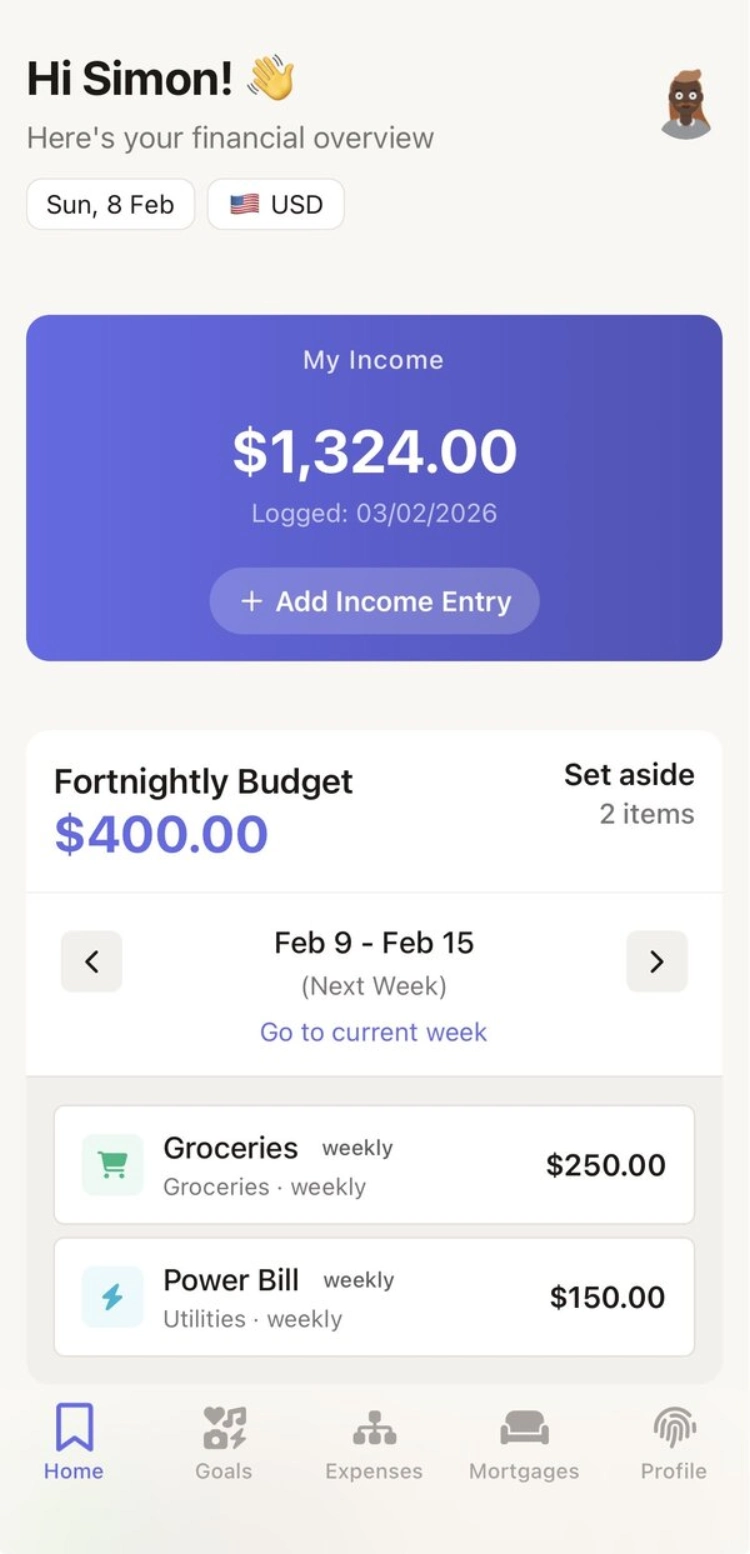
Spliggo counts the exact number of paydays between now and each bill's due date, then tells you one number: the amount to set aside from this pay so everything is covered. There's nothing to learn. No categories to maintain. No envelope system to understand. Just your number.

1

Paste your bills

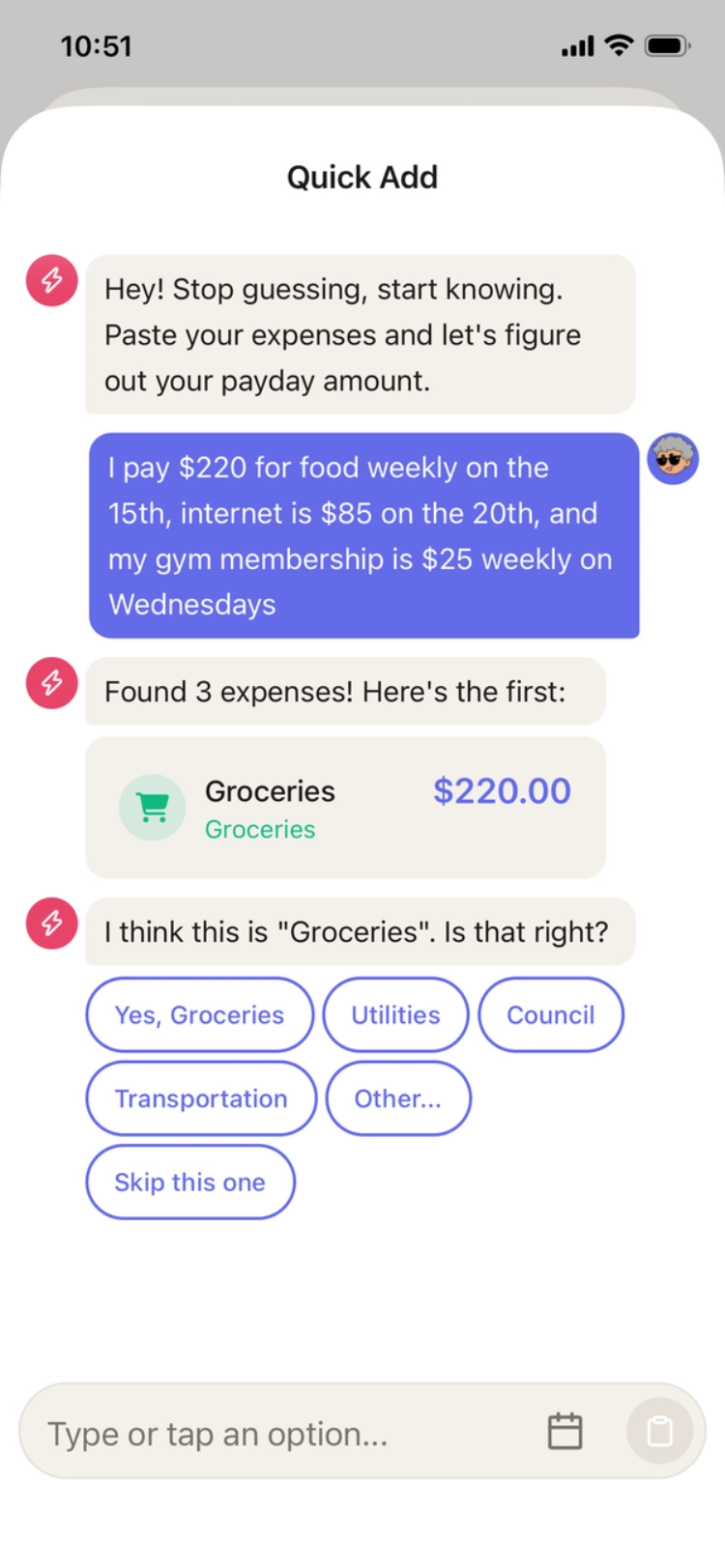
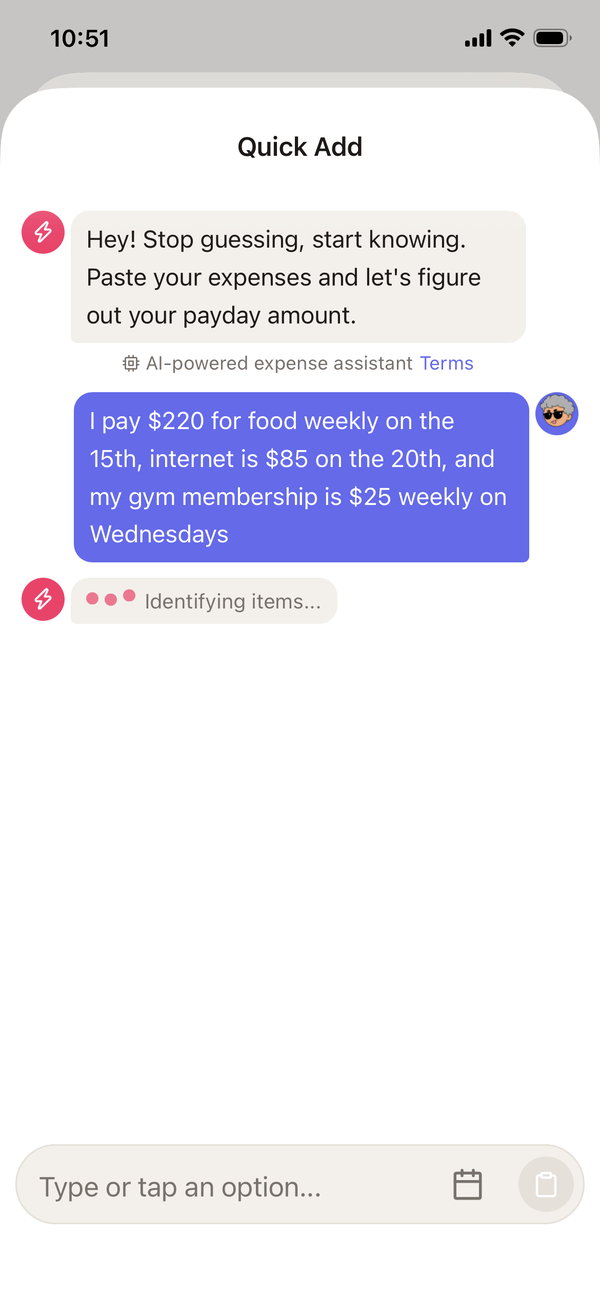
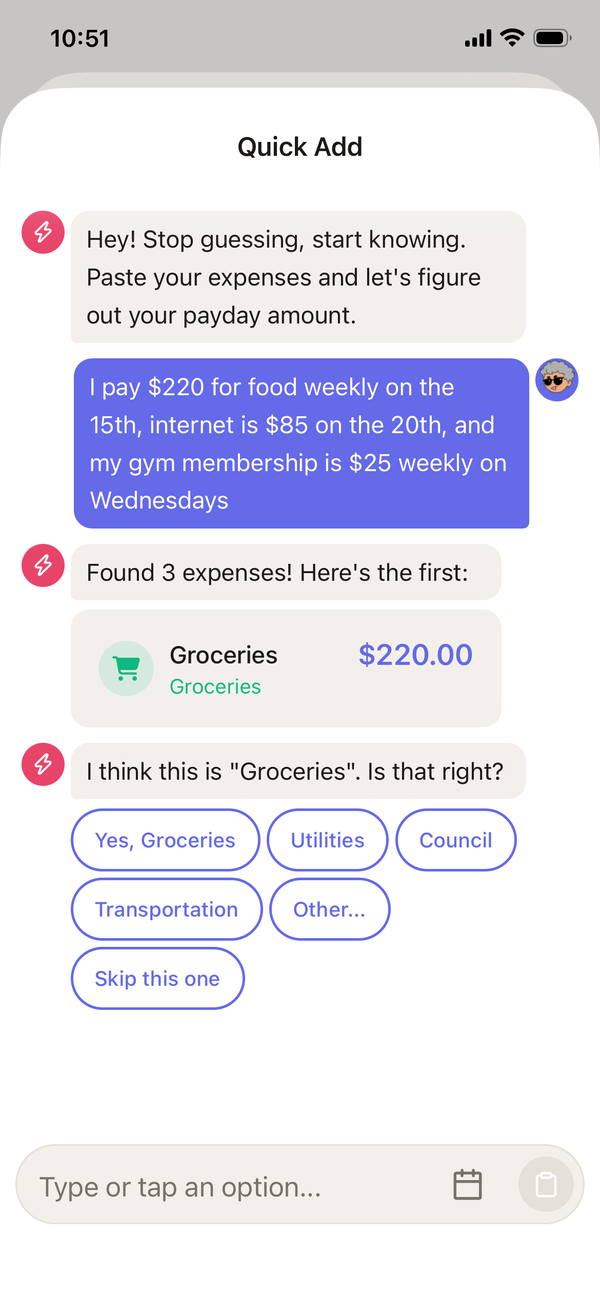
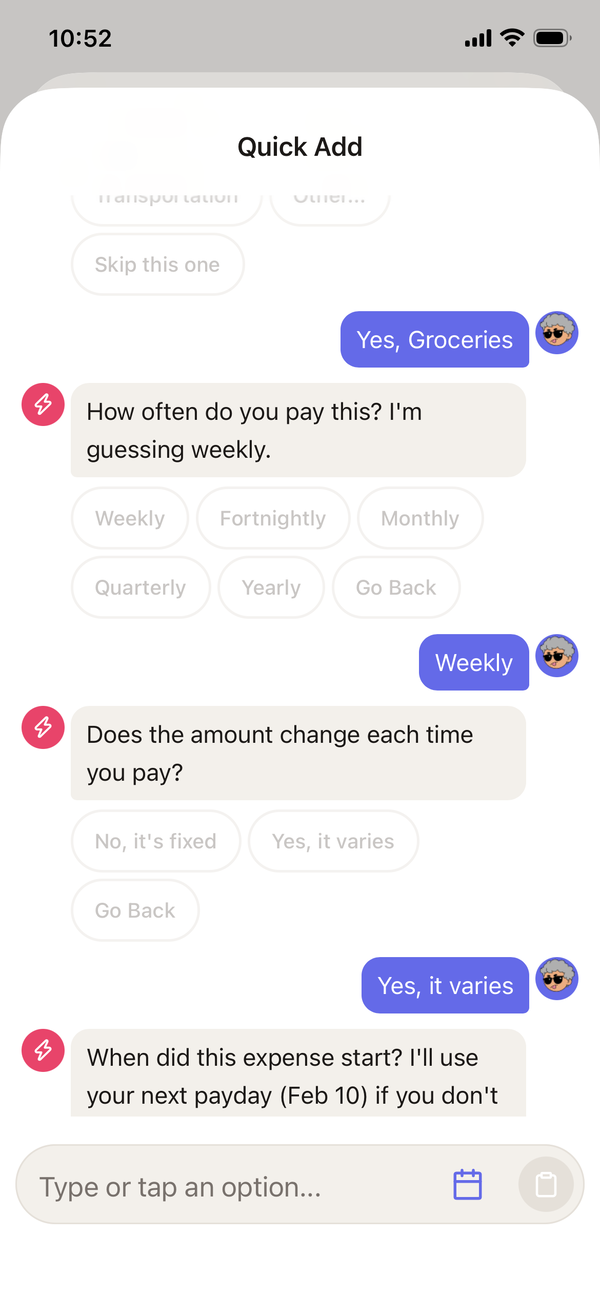
Screenshot a bill, copy text from an email, or just type the amount. Spliggo figures out the rest: name, amount, frequency, due date.

2

Get your number each payday

Spliggo calculates exactly how much to set aside based on the actual number of paydays until each bill is due.

Split any expense with a partner

Share a bill? Tap to split it. Each person sees only their share based on their own pay schedule.

3

Know what's left

After all allocations, you see exactly what you can spend freely. That's your number. That's the point.

Pro tip: Most people set up in under 2 minutes with our AI-assisted tool. You don't need to connect your bank - just paste or type your bills and you're done.

Everything you need, nothing you don't

Budgeting shouldn't be a second job. Spliggo focuses on one thing: making sure your bills are covered every payday. No categories to manage, no transactions to import.

Paste your bills, done in seconds

You don't fill out forms. Just copy text from your power bill, copy text from your automatic payment lists, or type casually. Spliggo figures out the name, amount, frequency, and due date. If you mention multiple bills in one message, it picks them all up and creates them at once. It also knows the difference between a regular expense, a savings goal, and a housing payment, and routes each one to the right place.

Pay-schedule-aware allocation

You've got multiple expenses with different due dates, different amounts, and different frequencies. Spliggo looks at your actual pay schedule and works out exactly what to set aside from each pay so everything's covered when it's due. No spreadsheets, no mental math, no tracking every single bill yourself.

Why this matters: The number of paydays before each due date changes from month to month. That means the amount you need to set aside per pay changes too. Spliggo recalculates this automatically every pay period so you're never over-allocating or caught short.

Notifications that are actually useful

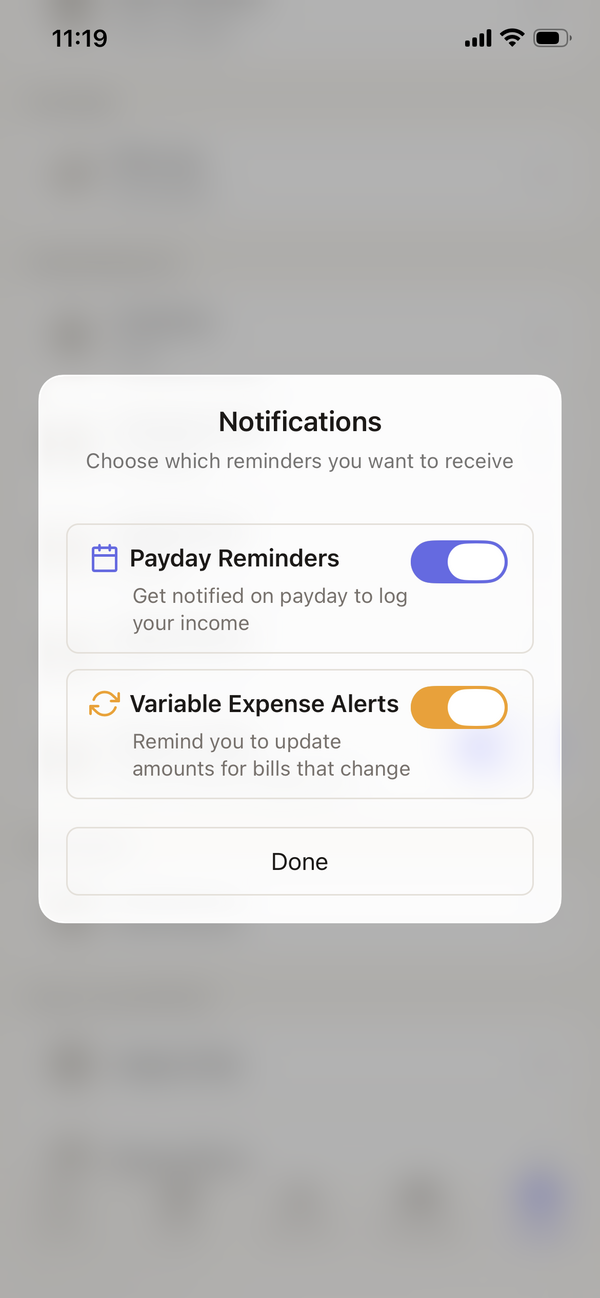
You get two kinds of notifications, and only two. On payday: exactly how much to transfer to cover your bills. Before a due date: a reminder that a bill is coming, along with confirmation that you've already set aside enough. That's it. No daily streaks, no spending guilt trips, no badges for logging in.

Spliggo notification settings showing payday reminders and expense alerts

And so much more

👥

Partner sync

Split expenses between two pay schedules. Each person sees their share.

🏠

Mortgage + Rent

Choose whether you pay rent or a mortgage and the experience adapts to match.

🎯

Savings goals

Set a target amount and date. Per-payday contributions calculated automatically.

🔒

Privacy first

No bank connections. No scraping. Your data stays yours.

🌏

Multi-currency

NZD, AUD, USD, GBP, CAD, EUR. Pick yours.

📡

Works offline

Allocations calculated locally. Sync when you're back online.

Make budgeting yours

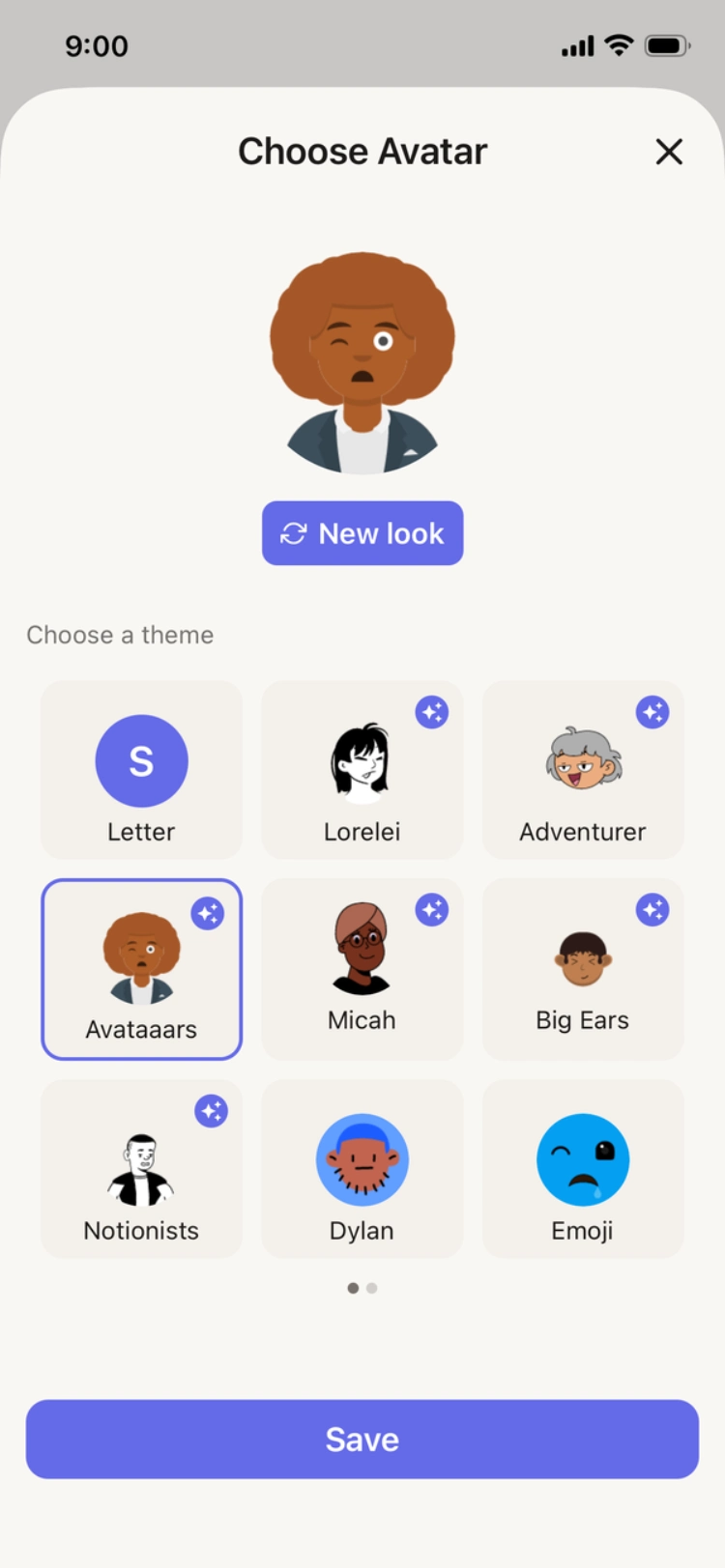
Choose from 17 unique avatar themes by talented creators. Each theme offers multiple avatars, and many can be accessorized. Pick colors and make Spliggo feel like your app.

Adventurer Big Ears Lorelei Micah Avataaars Notionists Open Peeps Fun Emoji Thumbs Adventurer Big Ears Lorelei Micah Avataaars Notionists Open Peeps Fun Emoji Thumbs
Bottts Dylan Pixel Art Big Smile Croodles Personas Identicon Shapes Shapes Bottts Dylan Pixel Art Big Smile Croodles Personas Identicon Shapes Shapes
17 themes, endless combinations

Avatars by DiceBear. Themes by Lisa Wischofsky, Micah Lanier, The Visual Team, Zoish, Davis Uche, Pablo Stanley, Draftbit, Ashley Seo, Natalia Spivak & Vijay Verma - CC BY 4.0 & CC0 1.0

Your financial data stays private

Spliggo never asks for your bank login. There are no account connections, no transaction scraping, and no third-party data sharing. You type or paste your bills. That's the only data Spliggo needs.

🛡️

AES-256 encryption

Sensitive data is encrypted at rest using industry-standard AES-256-GCM encryption.

🔒

No bank connections

We never ask for bank credentials. Your accounts stay yours.

🔑

Secure authentication

Encrypted passwords, automatic session protection, and time-limited reset codes.

📡

Works offline

Your allocations are calculated on-device. No internet needed for day-to-day use.

The Spliggo way

We built Spliggo because we were tired of budgeting apps that want to be your entire financial life. Spliggo is intentionally focused:

1

Quick, valuable interactions

Open the app, see your number, close the app. That's a good session.

2

A tool, not a lifestyle

No streaks to maintain. No leaderboards. Just clear math that helps you live your life.

3

Financial clarity, not financial admin

You shouldn't need a spreadsheet to know what you can spend freely this week.

Frequently asked questions

How does Spliggo work?

Spliggo counts the exact number of paydays between now and each bill's due date, then tells you one number: the amount to set aside from this pay so everything is covered. Just paste your bills, get your number each payday, and know what's left to spend freely.

Do I need to connect my bank account?

No. Spliggo doesn't require any bank connections. You just paste or type your bills and your pay schedule. That's it. Your financial data stays private.

How much does Spliggo cost?

Spliggo starts with a free 3-day trial with full access. After that, it's $1.99/month or $17.99/year (saving 25%). Cancel within 3 days and you won't be charged. Early bird signups may get 3 months free.

What currencies does Spliggo support?

Spliggo supports NZD, AUD, USD, GBP, CAD, and EUR. You can pick your currency during setup.

Can I use Spliggo with my partner?

Yes. You can add a partner with their own pay schedule. Spliggo will split shared expenses between both pay schedules so each person sees exactly what they need to set aside from their pay.